


- Deep Freeze Cloud
- Faronics Labs
- Faronics Deploy
Smarter, Re-imagined Classroom Management
Insight delivers unmatched classroom visibility and control for educators, while IT gains a centralized platform to deploy, update, and secure every device.
Request a Demo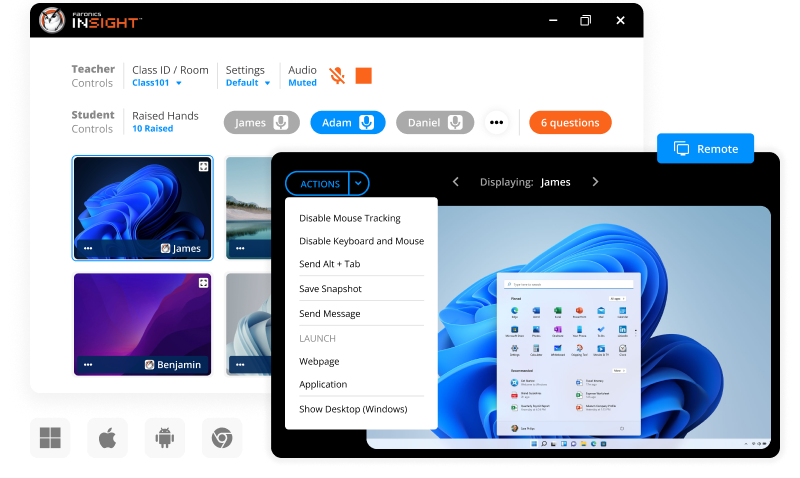
Live Classroom Dashboard
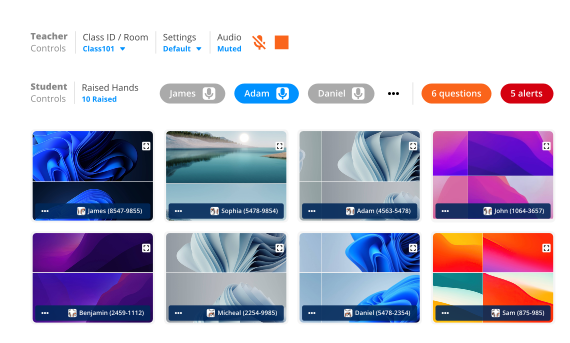
- Real-time thumbnails display every student’s screen on Windows, macOS, ChromeOS, iOS, and Android.
- Color-coded indicators instantly show login status, OS type, Focus Mode, and web-restriction status.
- A streamlined ribbon bar provides quick access to essential teaching tools: Remote, Share, Limit Web, Polls, Chat, and Tests.
Focus-Lock & Blank Screen
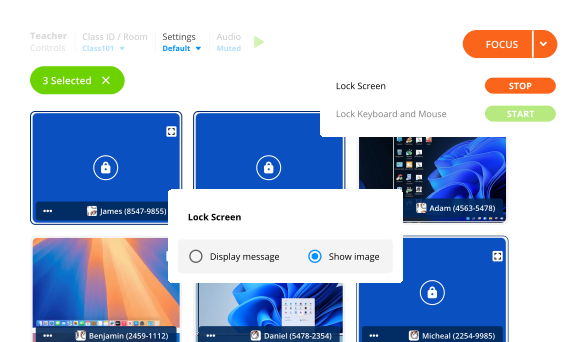
- Instantly refocus your class by blanking all screens or only selected students.
- Display a customizable “Blank Screen” message to clearly reset attention and pause distractions.
Smart Screen Sharing
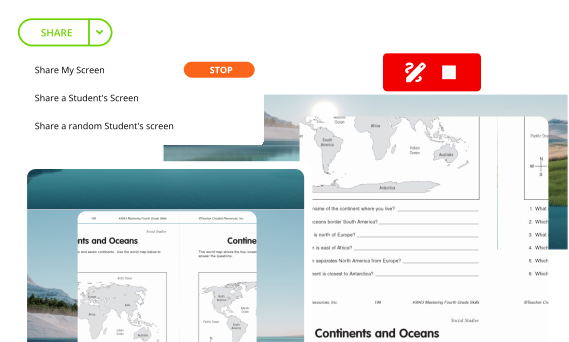
- Broadcast your full monitor or a single app/window to guide learning with clarity.
- Spotlight a random student to increase participation and engagement.
- Keep one monitor private for notes while sharing the other with the class.
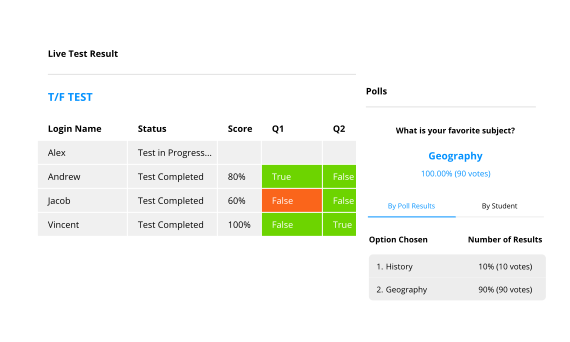
Instant Assessment Tools
- Use Quick Polls to check student understanding in seconds and export results as CSV for grading.
- Run Adaptive Tests that automatically adjust question difficulty based on each student’s progress.
- Enable Secure Assessment Mode to lock devices to approved test sites and apps until students submit their work.
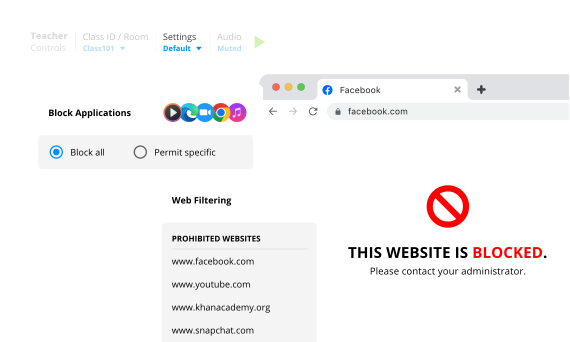
Web & App Limiting
- Use Lists for quick allow/block control, with import and export options for easy reuse.
- Set Domain rules to manage access at the domain level (e.g., block social.com while allowing school.social.com).
- Apply Schedules to automatically enforce limits during exams, study periods, or specific class times.
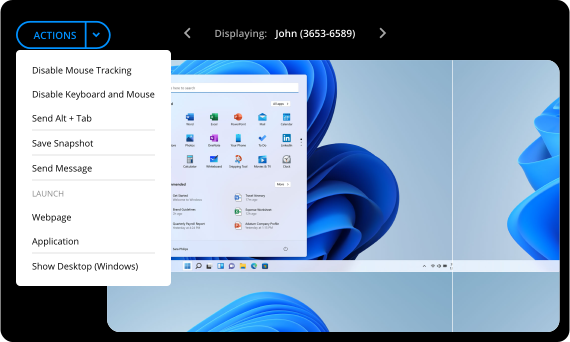
One-Click Remote Help
- Use Thumbnail view to double-click and instantly take keyboard and mouse control of any student device.
- Leverage Remote Control to manage multiple students at the same time for fast, group troubleshooting.
- Capture screenshots or full screen recordings to document issues with the Screen Capture tool.
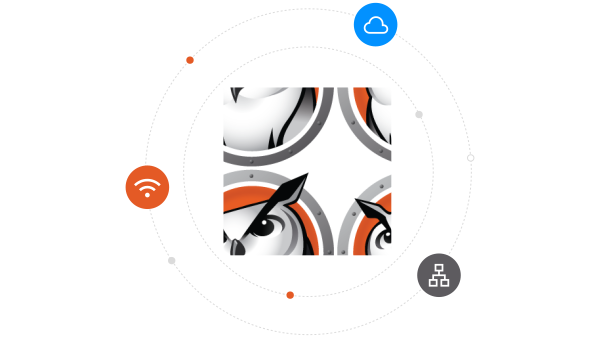
Works Everywhere — On-Site or Home
- Pair the console with Insight Cloud to use all features across school Wi-Fi, separate VLANs, or home networks.
- Connect instantly with no VPN, no hardware box, and no extra setup required.
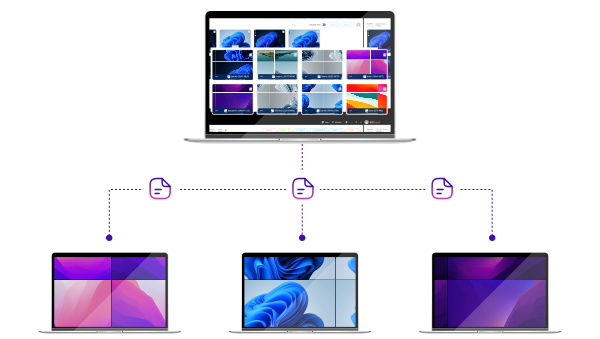
Drag-&-Drop File Exchange
- Drag and drop files or entire folders onto student thumbnails for instant delivery.
- Let students submit work back to the teacher without email or cloud drives.
- Keep your Downloads organized with automatic file naming that adds each student’s name and the date/time.
Faronics Insight gives me the control I need to manage my lab seamlessly. Students can't bypass restrictions, so I can teach more effectively without technical headaches.
Leonard Moreno
Information Technology Instructor, Palmdale High School
Now that we have Insight, we can stop students from surfing the Internet and keep class on track. The chat and voting features let learners ask questions discreetly, improving engagement without interruptions.
Georgia Voils
Internet Course Technician, Lewis & Clark Community College

Insight’s Show Teacher Workstation feature saved our labs when our projector broke down, broadcasting the instructor’s screen to every computer instantly. This prevented downtime and extra costs by keeping classes running smoothly.
Josh Kolka
Technology Administrator, Bangor Township Schools

Faronics Insight is a great product that helps teachers collaborate with the students. On a scale of 1 to 10, I'd give it 11. It is very very powerful, you should try it out.
Robert Windhauser
Technology Specialist, Hillsborough County School District
Start Exploring the Features Today
Activate your trial today and remove every teaching barrier.
Request a DemoFAQs
- Insight installs a Teacher Console on instructors’ devices and a Student App on classroom computers or student devices. Teachers can view live thumbnails, manage activities, and communicate instantly. For the Cloud version, IT administrators can deploy, update, and manage settings centrally through the Insight Cloud console
- Insight Cloud: No servers to manage, automatic updates, centralized policy control, and seamless Deep Freeze integration. Works across subnets, VPNs, and remote environments. IT Admins can also take advantage of other remote control tools like software patching, imaging, asset inventory, and power management.
- Insight NXT (On-Premise): Traditional deployment within a local network—ideal for labs or offline environments. Both offer the same classroom management experience; the Cloud version adds scalability and remote accessibility.
- Insight supports teachers on Windows and macOS, while students can connect from Windows, macOS, ChromeOS, iOS, and Android devices. This allows teachers to manage mixed-device classrooms effortlessly, and students to participate from virtually any platform.
- Yes. Insight Cloud allows teachers to monitor and interact with students anywhere—whether in the same room or working remotely—without requiring VPNs or complex network setups. Insight On-Premise does not support remote learning environments.
- Yes. Insight Cloud is fully Deep Freeze–aware, meaning teacher settings, and class lists are retained even after a reboot on Frozen machines. This ensures a seamless teaching experience without reconfiguration
- Faronics Deploy is hosted on AWS, leveraging their robust infrastructure for reliability and security. We use AES-256 encryption to protect your data, along with multi-factor authentication and regular security audits to safeguard your information.
- Live student screen monitoring
- Screen sharing and remote control
- App and website blocking
- File sharing and collection
- Digital hand raising and chat
- Real-time testing and polling
- App and website blocking
- Insight is licensed per device (teacher or student). Cloud licenses are available as annual subscriptions, while Insight NXT offers perpetual licenses with optional annual maintenance for updates and support.
- Yes. IT admins can manage classrooms, deploy updates, and adjust policies through the Faronics Cloud Console. Insight Cloud also includes Remote Control, Software Deployment, Patch Management, and Asset Inventory tools.
- You can start your 30-day free trial today at Insight.Faronics.com — setup takes only a few minutes with no servers required. Prefer to host it yourself? You can also download the on-premise version (Insight NXT) from Faronics.com/downloads.

We're here to help you in any way possible.


 your Deep Freeze license count and free for up to 3 years