


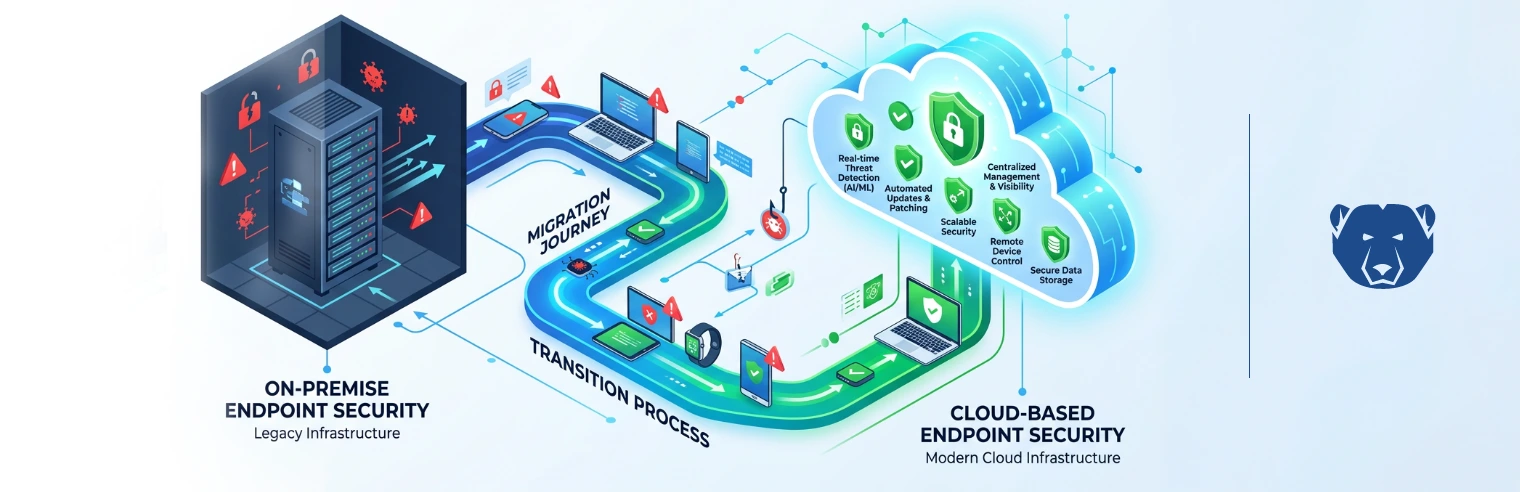
Moving endpoint management to the cloud changes more than just the location of system control. It changes how they behave day to day.
On-prem setups kept most devices within the same environment, making changes easier to spot and contain. Once people use those same devices remotely — on home Wi-Fi, shared networks or wherever they are working from — they’re no longer operating under the same conditions.
What matters then is how the device holds up on its own, not the network around it.
Where risk starts to show
Cloud tools give you visibility. You can check device status, push updates and apply policies without being on the same network.
What they don’t control is what happens once the device is in use.
A machine can tick every policy box and still behave differently a few days later. Someone might tweak a setting while fixing an issue, or a tool might be installed for a quick job and never removed. An update goes through, but something else changes at the same time.
The issue is what it turns into. Systems that started the same begin to drift apart. A fix might work on one device and not on another. Even simple issues take longer to track because you’re no longer starting from the same place.
Devices don’t stay in their expected state
A device can look compliant on paper and still cause problems in practice.
The issue usually shows up when something small needs fixing. What should be a quick check turns into a longer process because the system doesn’t behave as expected. You’re not just solving the issue — you’re trying to understand the device’s condition.
That tends to play out like this:
- Two machines with the same build respond differently to the same fix
- A known issue can’t be reproduced reliably
- Time is spent verifying the environment before doing any real work
- Support becomes slower because there’s no consistent starting point
The way around it is to make the starting point predictable again. With Deep Freeze Cloud, each restart returns the system to a defined state, so you’re not working through layers of previous changes.
This way, you are dealing with the issue directly.
Patching doesn’t land the same everywhere
Cloud tools simplify updates, but don’t ensure every device is in the same state.
Some machines are offline when updates go out. Others restart later than planned. In some cases, patches install partially or run into conflicts that don’t surface until later. You end up with devices that report as updated but behave differently under load or during specific tasks.
This inconsistency creates extra work. A more reliable approach is to treat updates as part of a controlled cycle. Deep Freeze Cloud opens systems for maintenance, applies updates and then locks that state in as the new baseline. From there, every restart brings the endpoint back to that version.
This avoids the uneven rollout that tends to build over time. All devices move forward together, rather than drifting apart depending on when and how they were updated.
User-driven changes add noise
Remote work has changed how endpoints are used. People install tools when they need them, adjust settings to suit their setup, and work in ways that don’t always follow a standard process.
This flexibility introduces noise into the system.
Often, applications are installed for short-term use but end up being used longer than intended. Settings are changed for convenience and never reset. Over time, these small adjustments start to affect how the system behaves.
It’s not always obvious when that happens. The device still works — it just doesn’t work the same way.
Rather than trying to block every action, it’s more practical to control the outcome. A reset-based model allows users to do what they need during a session, while ensuring those changes don’t persist. When the system restarts, it returns to a clean state without long-term impact and interfering with day-to-day work.
Recovery still takes too long
When something breaks on a remote endpoint, fixing it isn’t always straightforward.
ou’re relying on remote access, user availability and whatever tools are already on the device. Even simple issues can take longer than they should, especially when the system state isn’t clear. In some cases, rebuilding the device is the fastest option.
This approach, however, doesn’t scale well in a distributed environment.
Recovery works better when it’s built into the system. With Deep Freeze Cloud, a restart brings the endpoint back to its baseline. If something goes wrong during use, the system doesn’t need a full investigation before it can be used again.
More complex changes can still be handled during maintenance windows, but everyday issues don’t require the same level of effort.
Bringing endpoints back into line
Moving to the cloud doesn’t remove endpoint risk — it shifts it to what happens between updates and outside direct oversight, where systems drift, and inconsistencies build up.
Get in touch with the Faronics team to see how Deep Freeze Cloud can help you keep endpoints consistent and secure without adding more overhead.





 your Deep Freeze license count and free for up to 3 years