


- Deep Freeze Cloud
- Faronics Labs
- Faronics Deploy
Software Management
A fast, reliable way to install, update, or remove applications across your environment.
Request a Demo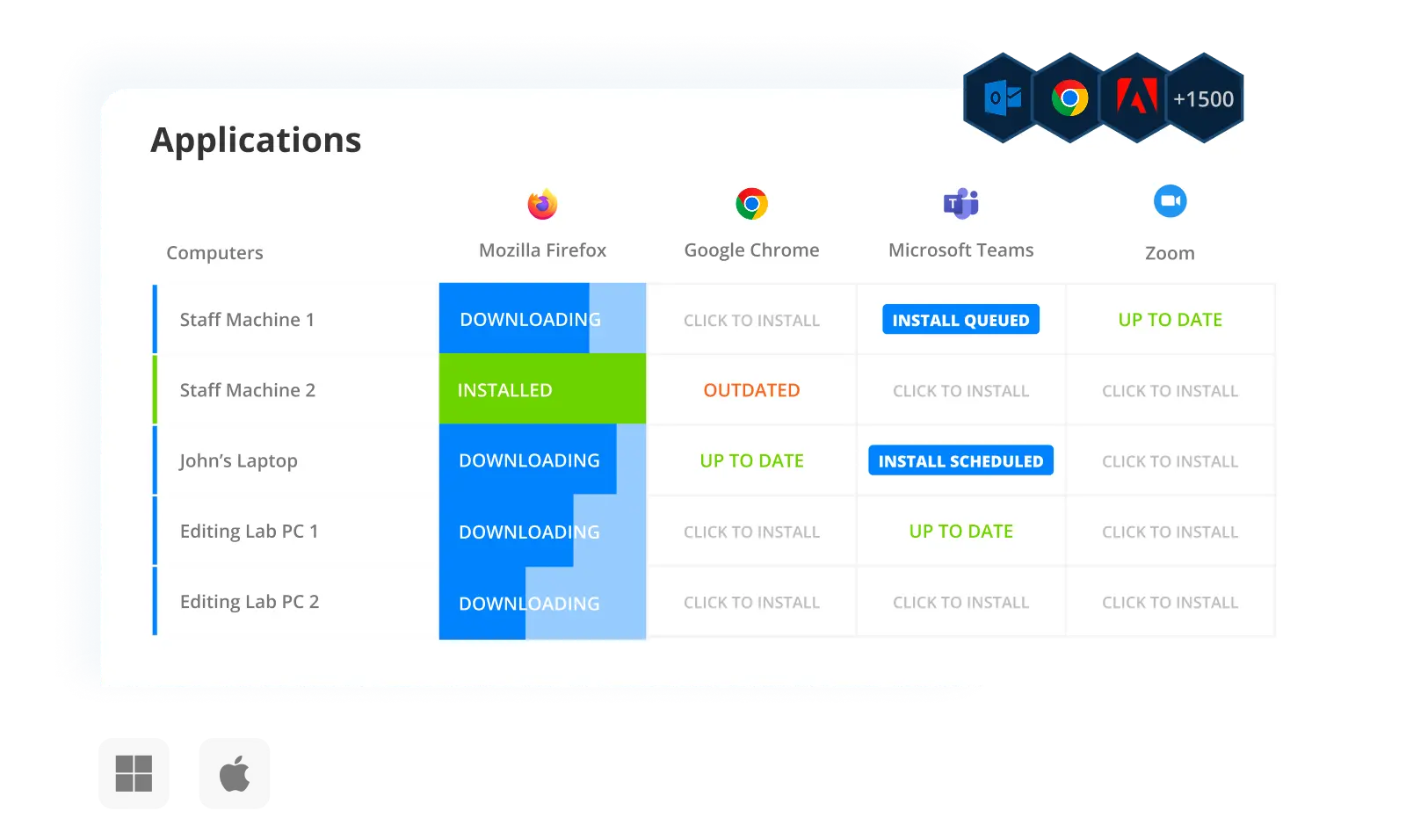
Built-in Applications
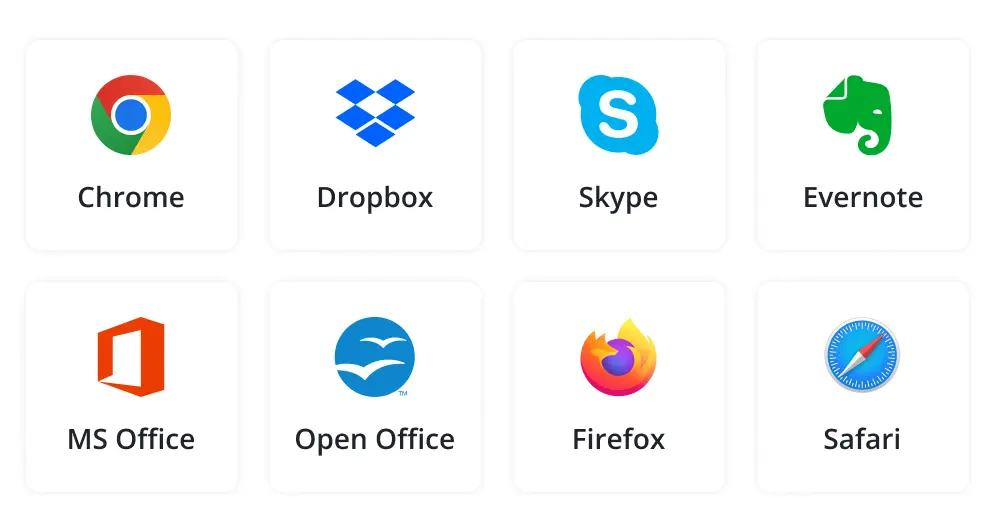
Deploy includes an integrated library of over 1,500+ applications, applications, continuously updated and ready to install across managed devices.
- Deploy apps instantly from the built-in library.
- Install multiple applications together.
- Keep software updated automatically.
- Remove preinstalled or redundant software.
Custom Apps
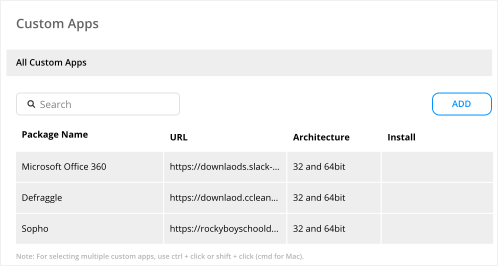
Add and manage your own software packages using local or network-hosted installers.
- Deploy MSI or EXE installers hosted over HTTP, HTTPS, UNC, or SFTP.
- Specify custom install commands and parameters.
- Push updates to your custom apps with minimal effort.
- Track installed versions of custom apps across all endpoints.
Smart Deployment
Optimize bandwidth, reduce downtime, and control the timing of updates across machines.
- Use cache servers to reduce bandwidth utilization.
- Freeze specific apps to avoid early version rollouts.
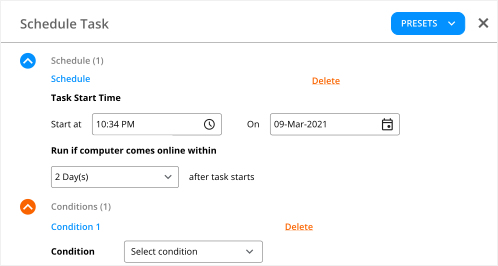
- Minimize disruption with silent, scheduled installs.
- Schedule installations to align with usage patterns.

Smart Grid
Manage applications centrally from a real-time grid built for speed and precision.
- Install, update, or remove apps from the grid interface.
- Track deployment progress in real time.
- Automate software actions using site, group, or tag filters.
- View custom script log output for every computer.
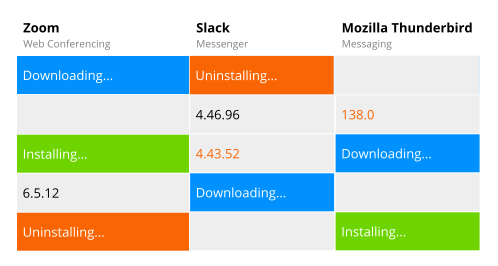
Real-Time Views
Monitor app status and take action across your entire environment with full visibility.
- Search and filter by application name, version, or deployment status.
- View which endpoints have outdated or missing applications.
- Track real-time install, update, or uninstall progress from the console.
- Identify deployment failures and take corrective action immediately.
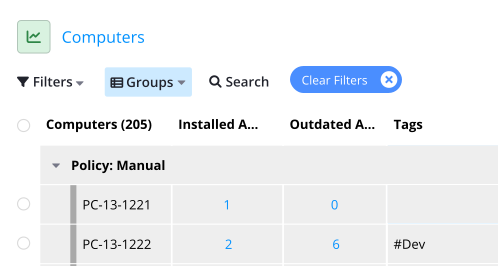
Groups and Filters
Use groups, filters, and tags to structure and control how applications are deployed.
- Assign devices to static groups or tag them based on role, location, or OS.
- Apply multiple tags per machine for flexible targeting.
- Use App Presets to deploy department-specific application bundles in one step.
- Use dynamic filters to target machines that meet specific criteria.

Deploy has completely changed my world. The first time I pushed out an update for our secure browser, there was nothing to it. 5 minutes later all 1,400 student computers had the update.
Nick Steenberg
District Technician, Wheatland School District
Our IT department is a lot more efficient, we have a more secure environment and managing updates in a timely way is a lot easier thanks to Deploy and Deep Freeze.
Matt Beckstrom
Systems Manager, Lewis & Clark Library

Deploy became invaluable to us during the pandemic because we were able to quickly onboard all our staff PCs.
Laura Nawrocik
Head of Information Technology, Mercer County Library, Central New Jersey
In the past, I would have to manually go to every computer to keep it up to date. Right now, it’s just me. I’m a one-man show. Faronics was that “second person,” that helps me maintain control over my fleet automatically. It’s saved loads of time.
Parker Reed
IT Administrator, Allied Dispatch Solutions
Get Started Today
Lightning-fast deployment for Applications, Windows Updates and Operating Systems.
Request a DemoFAQs
- You can install applications from a library of 1,500+ titles using our built-in catalog or import custom MSI, EXE, or ZIP installers. Deploy supports deployments over HTTP, HTTPS, UNC, and SFTP paths, with configurable install parameters.
- Yes. Faronics Deploy lets you schedule daily or weekly update checks for any supported application. You can target specific device groups, tag-based filters, or apply updates globally.
- You can manage pre-packaged apps, Microsoft Store (WinGet) apps, and custom software (MSI, EXE, or ZIP). Version tracking is supported for built-in and custom apps to detect and update outdated versions.
- Deploy checks installed versions against vendor-provided data (for built-in apps) or WinGet metadata (for MS Store apps). You can also specify expected versions manually for custom apps.
- Yes. You can uninstall built-in, WinGet, or custom applications from any device or group directly from the grid. Silent uninstall is supported for most MSI and EXE-based apps.
- Applications can be grouped by function (e.g., Browsers, Security, Productivity) or managed using App Presets tied to departments or roles. You can also use tags and filters to organize deployment targets dynamically.
- Yes. You can configure one or more endpoints as cache servers to store and distribute application packages locally, reducing internet bandwidth usage during deployment.
- Admins can define custom install commands, run context (System or Logged-in User), deployment timeout settings, and reboot behavior. You can also defer actions or queue them for maintenance windows.
- You can apply an App Preset or Custom App bundle immediately after agent installation. Most deployments begin within seconds and complete based on the system’s bandwidth and app size.
- Yes. The Applications Page and device-specific views show installed app status, missing software, and outdated versions per endpoint. You can filter and take action directly from the interface.
- Yes, you can deploy, update, and remove supported applications on both Windows and macOS systems.

We're here to help you in any way possible.


 your Deep Freeze license count and free for up to 3 years