


- Deep Freeze Cloud
- Faronics Labs
- Faronics Deploy
Next-generation computer management for Windows and Mac
Manage and automate updates for over 1500+ third-party applications, ensuring your entire software ecosystem stays up-to-date with minimal manual intervention
Request a Demo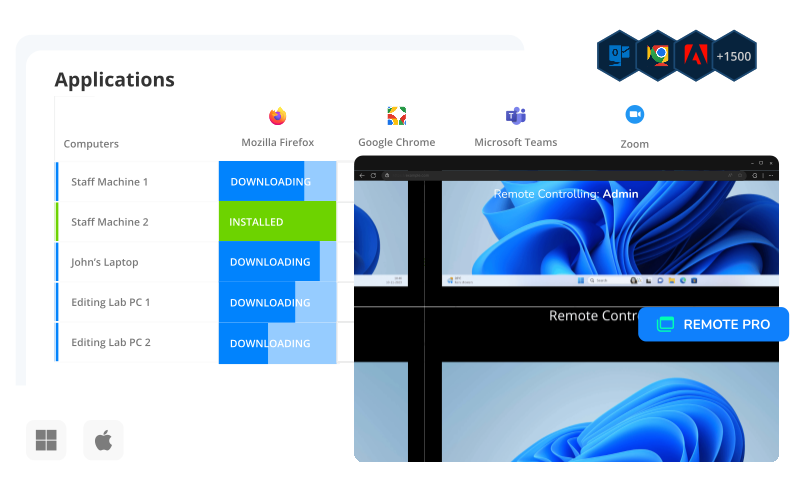
Application Management
Take full control of your software environment with features built for speed, simplicity, and precision.
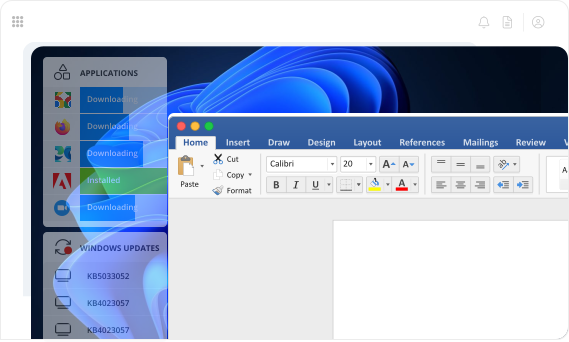
- Comprehensive deployment: Install, uninstall, or update over 1,500 built-in applications, or add and manage your own software packages.
- Bulk actions: Save time by grouping, filtering, and managing multiple devices simultaneously.
- One-click mass deployment: Use App Presets to roll out complete application sets across multiple machines instantly.
- Streamlined management: Simplify everyday software operations while maintaining full oversight across your environment.
Windows Updates
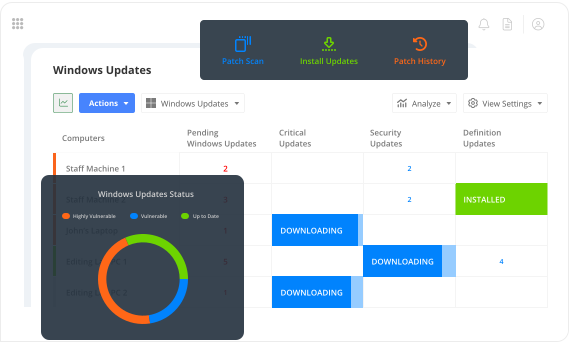
Stay ahead of security risks with Smart Grid, providing full visibility into pending updates and patch status across your environment.
- Streamlined approval: Use Auto-Approve to automatically approve updates by category or KB, while safely testing them on a control group.
- Flexible deployment:Apply updates instantly with a single click or schedule them to run automatically at your preferred intervals.
- Complete coverage: Ensure all systems remain secure, compliant, and up to date with minimal effort.
- Clear oversight: Monitor update progress and patch status in real time for full control and transparency.
OS Deployment
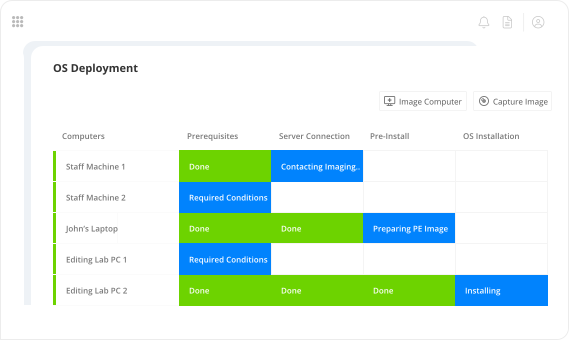
Simplify system deployment with flexible installation options and a single master image for all devices.
- Custom or express installs: Choose between express settings or fully customize your deployment to meet your requirements.
- Real-time monitoring: Track imaging progress in Smart Grid for full visibility into every device.
- Modular deployment: Combine images with different driver packs, OS settings, and applications to support any hardware configuration.
- Efficient rollout: Ensure fast, consistent, and adaptable deployments across your entire environment.
Remote Control
Stay connected and provide support from anywhere with seamless remote access.
- Multiple protocols: Support devices inside or outside your network using Remote Pro, VNC, or RDP.
- Effortless file sharing: Transfer files easily with drag-and-drop functionality.
- Collaborative tools: Share clipboards to streamline communication and workflow.
- Unattended access: Connect directly to active sessions to troubleshoot issues and provide instant assistance whenever needed.
Inventory and Analysis
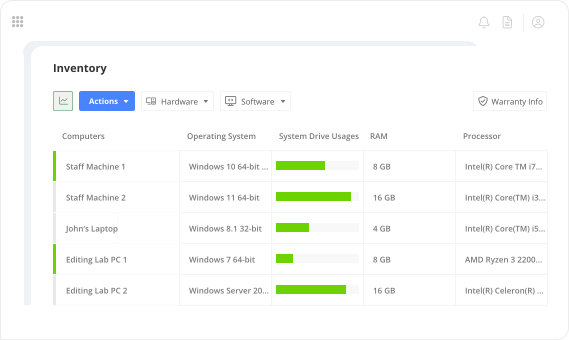
Gain full visibility into your IT environment with a comprehensive hardware inventory displayed in Smart Grid.
- Detailed insights: View computer models, RAM, disk usage, service tags, and more for every device..
- Resource optimization: Analyze usage trends across applications and devices to maximize efficiency.
- License & warranty management: Track software licenses and hardware warranties to stay compliant and in control.
- Centralized dashboard: Manage all hardware and software information from a single, unified interface.

Deploy has completely changed my world. The first time I pushed out an update for our secure browser, there was nothing to it. 5 minutes later all 1,400 student computers had the update.
Nick Steenberg
District Technician, Wheatland School District

Our IT department is a lot more efficient, we have a more secure environment and managing updates in a timely way is a lot easier thanks to Deploy and Deep Freeze.
Matt Beckstrom
Systems Manager, Lewis & Clark Library

Deploy became invaluable to us during the pandemic because we were able to quickly onboard all our staff PCs.
Laura Nawrocik
Head of Information Technology, Mercer County Library, Central New Jersey
In the past, I would have to manually go to every computer to keep it up to date. Right now, it’s just me. I’m a one-man show. Faronics was that “second person,” that helps me maintain control over my fleet automatically. It’s saved loads of time.
Parker Reed
IT Administrator, Allied Dispatch Solutions
Get Started Today
Lightning-fast deployment for Applications, Windows Updates and Operating Systems.
Request a DemoFAQs
- You can install applications from a library of 1,500+ titles using our built-in catalog or import custom MSI, EXE, or ZIP installers. Deploy supports deployments over HTTP, HTTPS, UNC, and SFTP paths, with configurable install parameters.
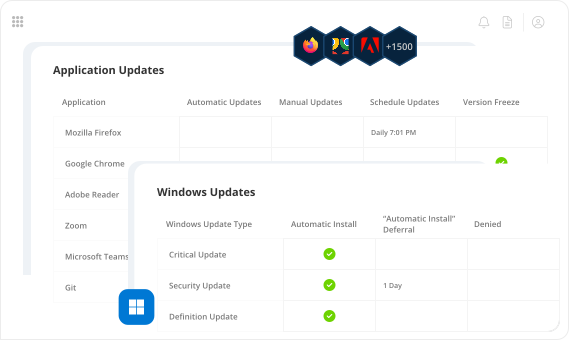
- Yes. Faronics Deploy lets you schedule daily or weekly update checks for any supported application. You can target specific device groups, tag-based filters, or apply updates globally.
- You can manage pre-packaged apps, Microsoft Store (WinGet) apps, and custom software (MSI, EXE, or ZIP). Version tracking is supported for built-in and custom apps to detect and update outdated versions.
- Deploy checks installed versions against vendor-provided data (for built-in apps) or WinGet metadata (for MS Store apps). You can also specify expected versions manually for custom apps.
- Yes. You can uninstall built-in, WinGet, or custom applications from any device or group directly from the grid. Silent uninstall is supported for most MSI and EXE-based apps.
- Applications can be grouped by function (e.g., Browsers, Security, Productivity) or managed using App Presets tied to departments or roles. You can also use tags and filters to organize deployment targets dynamically.
- Yes. You can configure one or more endpoints as cache servers to store and distribute application packages locally, reducing internet bandwidth usage during deployment.
- Admins can define custom install commands, run context (System or Logged-in User), deployment timeout settings, and reboot behavior. You can also defer actions or queue them for maintenance windows.
- You can apply an App Preset or Custom App bundle immediately after agent installation. Most deployments begin within seconds and complete based on the system’s bandwidth and app size.
- Yes. The Applications Page and device-specific views show installed app status, missing software, and outdated versions per endpoint. You can filter and take action directly from the interface.
- Yes, you can deploy, update, and remove supported applications on both Windows and macOS systems.

We're here to help you in any way possible.


 your Deep Freeze license count and free for up to 3 years