skip to main content
Using Data Igloo : Logging Events in Data Igloo : Data Igloo Error Dialog

Data Igloo Error Dialog
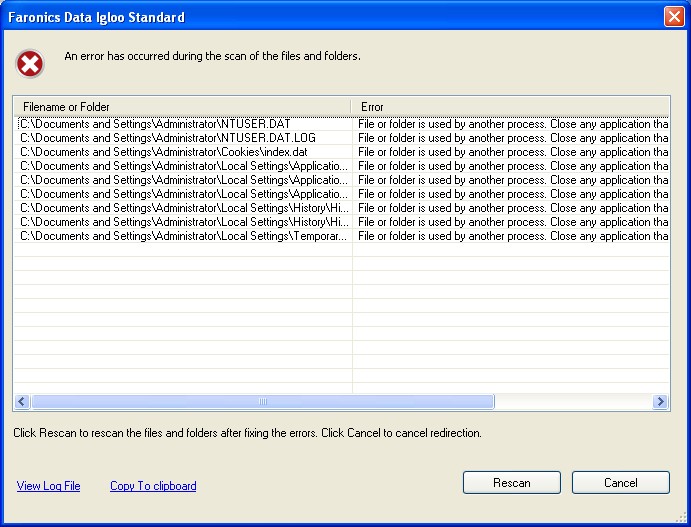
The Data Igloo error dialog is displayed whenever there is an exception. The dialog displays the following options:
Click View Log File to view the log file.
Click Copy to clipboard to copy the contents displayed in the error dialog to the clipboard. The contents can then be pasted in a word processor or E-mail.
Click Rescan to scan the action again and refresh the error dialog.
Click Cancel to cancel the dialog.