skip to main content
Using Data Igloo : User Profile Redirection : Creating a User Profile Redirection (for Existing User Profiles)

Creating a User Profile Redirection (for Existing User Profiles)
Complete the following steps to redirect a user profile from the default location to another drive on your computer:
1.
2.
3.
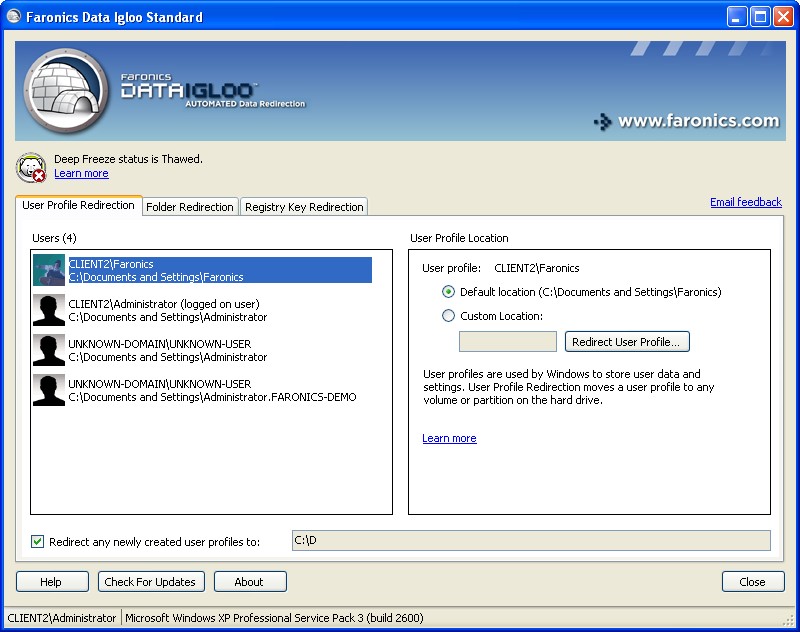
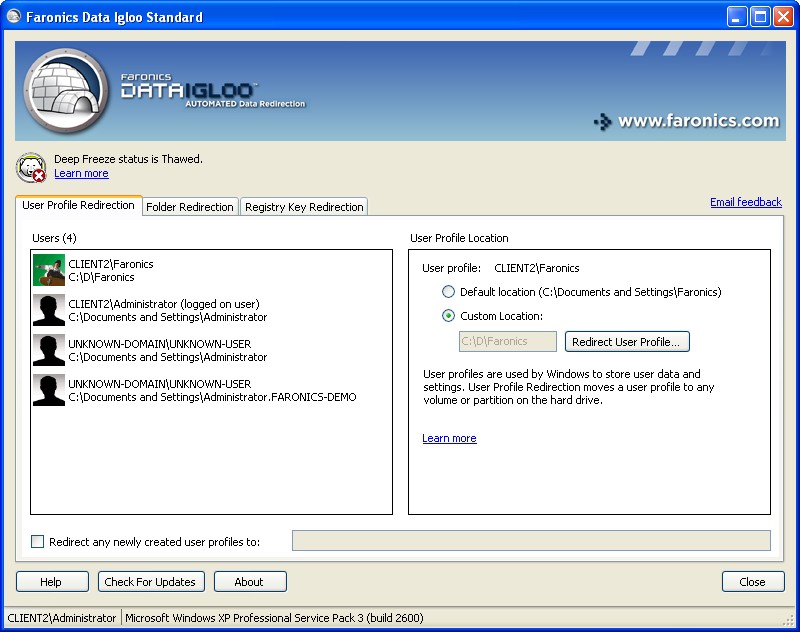
This step is optional. Select the Redirect any newly created user profiles to: checkbox to redirect newly created user profiles to a ThawSpace. Browse to select the location of the ThawSpace. If a new user profile is created, it will automatically be redirected to the selected location.
Selecting the Redirect any newly created user profiles to: checkbox automatically selects the Redirect registry key changes to: checkbox in the Registry Key Redirection tab. For more information, refer to Registry Key Redirection.
4.
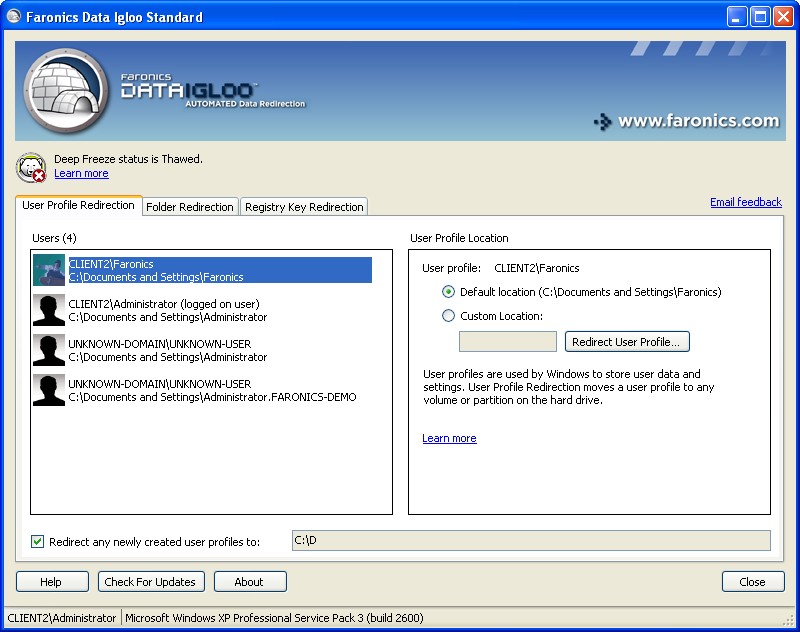
In the User Profile Location pane select Custom Location. Click Redirect User Profile... to select the location.
5.
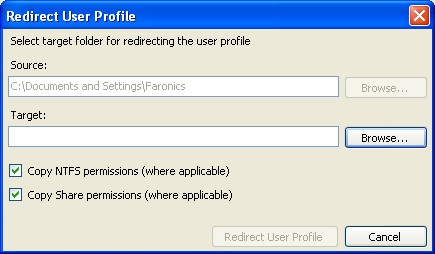
The Redirect User Profile dialog is displayed with the Source auto-filled. This is a read-only field and cannot be edited.
6.
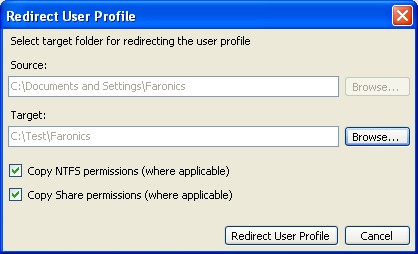
Click Browse for the Target. Select the target folder in the Browse for folder dialog.
Alternatively, you can type the folder path in the Target field.
>
Select the Copy NTFS permissions (where applicable) checkbox to copy the permissions for NTFS. The security applied to Source folder by the NTFS file system is copied to the Target folder. The security and share permissions are also applied to the files and folders within the Target folder.
>
Select the Copy Share permissions (where applicable) checkbox to copy the Share permissions for the user profile folder.
7.
Click Redirect User Profile.
8.
Data Igloo scans the files and if errors occur, it is displayed in the Error Dialog. For more information about the Error Dialog refer to Data Igloo Error Dialog. If no error is displayed, a progress bar is displayed and the User Profile is redirected to the target location.
 
If Deep Freeze status is Frozen, you can still redirect a User Profile. The files and folders related to the User Profile will be successfully moved even when the Deep Freeze status is Frozen. However, the User Profile Redirection will not be retained when the computer is restarted.