|
1.
|
|
2.
|
Click Update License. This converts Deep Freeze from the Evaluation version to a Licensed version. The License Key Type field displays the License Key. The Expiry Date displays the date and time when the license expires.
|
|
3.
|
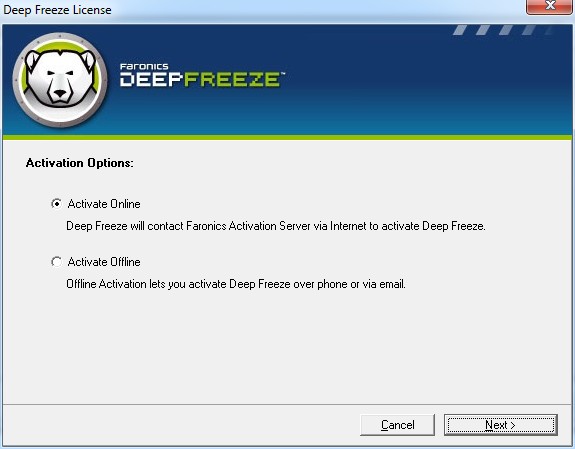
Click Activate Now. Two options are available:
|
|
•
|
Select Activate Online to activate Deep Freeze License online. This option is same as step 1. Click Next after selecting this option. Deep Freeze is activated online on clicking Next.
|
|
•
|
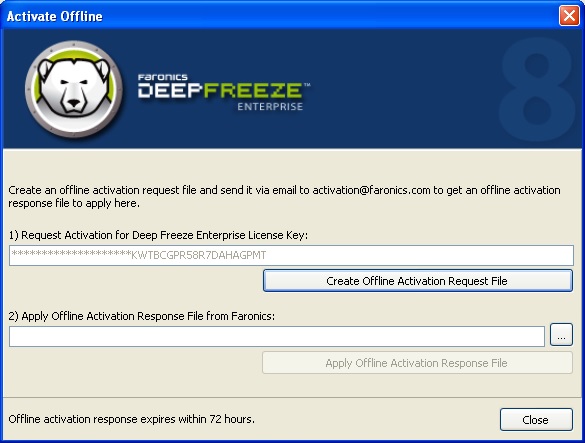
Select Activate Offline. This option allows you to activate by phone or email. Click Next after activating. The Activate Offline screen is displayed:
|
|
4.
|
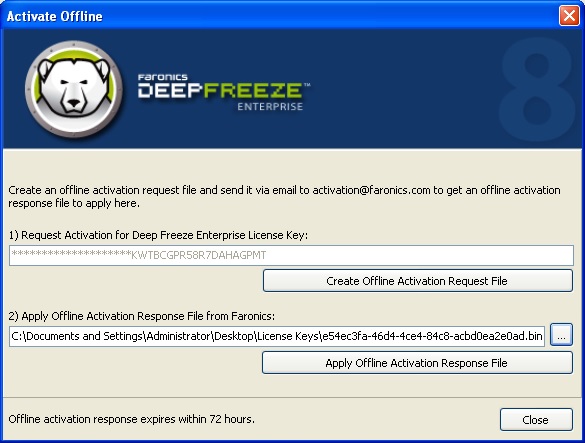
Click Create Offline Activation Request File and click Save. Send the file to activation@faronics.com to receive an Activation Response File. Browse to select the Activation Response File received from Faronics. Click Apply Offline Activation Request File.
|