|
1.
|
Select Tools > Network Configuration.
|
|
3.
|
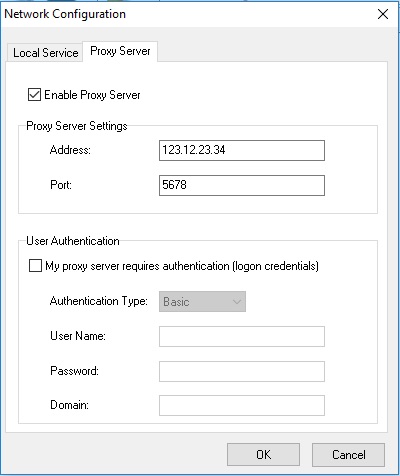
Select the Enable Proxy Server check box to enable it.
|
|
5.
|
This step is optional. Follow this step only if your proxy server requires authentication. Select My proxy server requires authorization (logon credentials) check box and specify the values for the following fields:
|
|
6.
|