|
1.
|
Select Tools > Network Configuration.
|
|
2.
|
Select the Enable local service check box to enable it.
|
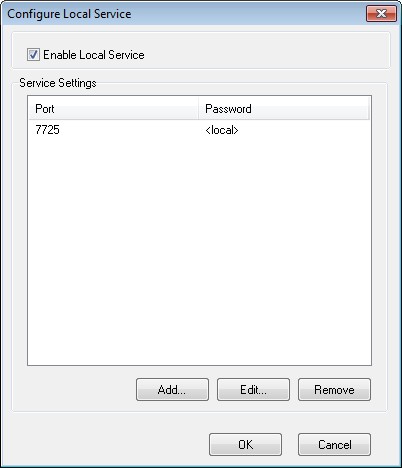
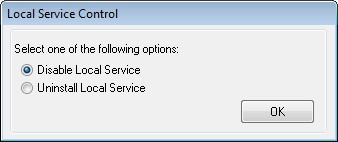
Clearing the Enable local service check box and clicking OK displays the option to either disable the local service or uninstall the local service.
|
1.
|
To add local service connection, select Tools >Network Configuration.
|
|
2.
|
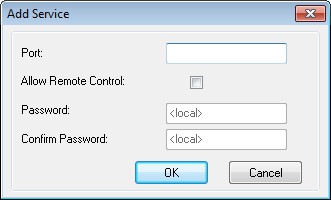
To add a connection select Add and specify the port number (7725 in this case).
|
|
3.
|
To enable the Console to be controlled remotely, select Allow Remote Control check box and specify a password.
|
After selecting Add, a connection that serves port 7725 will be created in the connections list of the local service as well as the in the network pane of the Console.