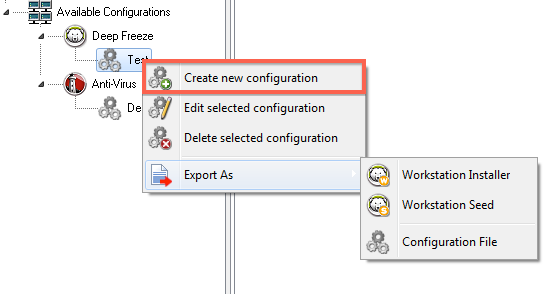
Deep Freeze Configuration Deep Freeze Configuration is a group of settings that defines the behavior of Deep Freeze on the workstation. Deep Freeze Configurations can be created and applied through the Deep Freeze Console. Complete the following steps to create a Deep Freeze configuration: 1. Launch Deep Freeze Console. 2. Go to Network and Groups > Available Configurations > Deep Freeze. 3. Right-click and select Create New Configuraiton. 4. Select or specify the settings for each tab as described in Using Deep Freeze Configuration Administrator. 5. Click OK. 6. Specify the name of the configuration and click OK.