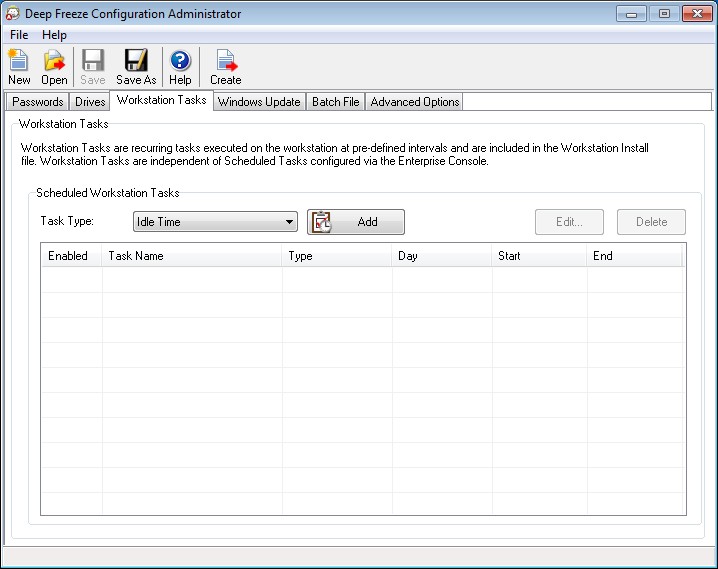
|
1.
|
|
•
|
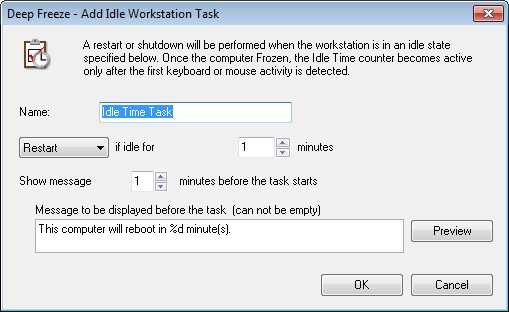
Name - Specify a name for the task.
|
|
•
|
Restart or Shutdown - Select Restart or Shutdown and specify the idle time in minutes after which the task must take place.
|
|
•
|
Show message - Select the check box to display a message. Specify the time interval in minutes and enter a brief message.
|
|
3.
|
In the above screen, the Idle Time task is set to Restart when the computer is idle for 1 minute. A message is displayed to the user for 1 minute after the idle time has elapsed. The computer will restart unless the user cancels the task in the message dialog displayed.