Aperçu
Intelligent Power Management
La gestion de l’énergie de vos PC avec Power Save n’affecte pas les besoins des utilisateurs ni du personnel informatique. Power Save veille à ce que les ordinateurs restent sous tension lors de leur utilisation, mais reconnaît les ordinateurs inactifs pour les mettre hors tension.
Track your Savings
Check for Rebates in Your Area
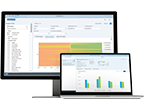
Power Save crée des rapports exacts pour les ordinateurs et les écrans et affiche en kWh et en $ les économies graduelles réalisées grâce à Power Save. Ces données peuvent être exportées à des fins d’analyse vers n’importe quel autre outil de reporting. Calculez vos économies maintenant.
Industry Alliances
Faronics est fière de ses partenariats avec des chefs de file de l’économie d’énergie, tels que la Climate Savers Computing Initiative. Faronics Power Save est reconnue par la CSCI pour sa contribution efficace à la réduction de la consommation d’énergie par les ordinateurs dans les organisations et les entreprises.
Caractéristiques techniques
- Analyse l'activité du système avant de prendre des mesures de gestion d’énergie
- Sauvegarde les documents ouverts de l'utilisateur avant d’éteindre les ordinateurs
- Permet à tous les postes de travail d’être gérés efficacement à partir de Faronics Core
Intelligent Configuration Settings
- Inactivity definitions can be based on multiple criteria
- Recognize and accomodate Deep Freeze maintenance schedules
- Notify users before Power Save takes action
- Automatically save open documents, spreadsheets, presentations, and email drafts prior to powering down
- Option to logoff user prior to computer powering down
- Stay awake option allows users to temporarily disable PC power management
- Schedule and customize local wake-ups
Customized Inactivity Definitions
- Employ energy saving actions when CPU, disk or network activity falls below a defined level
- Prevent the workstation from employing power saving actions when a particular application is running
- Powers down hard drives if the computer is inactive to further reduce energy consumption
- Activity generated by programs in the Non-Critical Applications list will be ignored
Enterprise Power Management
- Disable and override a workstation’s operating system energy management settings
- Create multiple Energy Consumption Profiles to match specific workstation power use
- With the Power Plan Assistant, easily create Power Plans and Policies to allow for different levels of energy management at different times
- Easily duplicate and edit existing Power Plan, and automatically synchronize changes to Power Plans and Policies across deployments
- Active Task feature ensures configuration changes are applied to unavailable workstations by resending the task when the computer can be reached
Enterprise Control
- Power Save can be deployed and managed via Faronics Core or third party desktop management tools to provide unified workstation control capabilities
- Workstation grouping makes managing large deployments easy
- Create workstation groups based on user-defined parameters, such as departments, physical locations, and user groups
- Wakeup workstations via a web browser
Flexible Scheduling
- Turn off monitors, and sleep, hibernate or shutdown computers
- Schedule Wake-On-LAN or Wake-Without-LAN, shutdown, or restart events
- Schedule Power Save configuration updates for a single, daily, weekly, or monthly occurrence
- Schedule maintenance windows where Power Save will not enforce energy management policies
Savings Reports
- Generate enterprise power consumption and savings reports through Faronics Core Console
- Summary and detailed reports display power savings based upon regional electricity costs in local currency
- Audit Mode provides a baseline measure of consumed energy, making it easy to determine the projected value of savings generated when Power Save’s features are enabled
- Audit Mode also calculates the projected annual savings based on an interim audit period
- Power consumption and savings reports can be displayed per workstation or per Energy Consumption Profile
- Reports display the environmental benefits achieved through reduced computer energy use
- Reports on best/worst energy savers and power saving history
Faronics Core Console
The Faronics Core Console allows you complete management and control of all your Faronics products over your entire network.
With the appropriate product load-ins, Faronics Core Console allows you to control program whitelisting, anti-virus, power-management, Windows environment and IT asset management.
All the features of Faronics software can be accessed and managed across your network from one or many core console locations.
Run detailed reports on one or multiple workstations, schedule automatic tasks and updates and keep log records, all from one central console.
Faronics Core Console implementation varies organization to organization. We recommend checking out our user guide, or downloading the Core Console package below.
Faronics Power Save
Recently John’s company adopted a vigorous green initiative aimed at reducing waste as well as saving money where possible. As the head of the IT department, he was put in charge of lowering the energy costs and waste of the organization’s IT systems. This led him to choose Power Save for its intelligent PC power management capabilities. With a large number of workstations of various types spread across the organization, being able to manage their Power Save deployment via Faronics Core was key. All the workstation information they need is easily viewed in Core Console and they’ve grouped all their workstations by department for easier management.
Faronics Core allows John’s team to remotely perform or schedule any Power Save tasks on any number of workstations. They’re able to put the computers to sleep, shut them down and wake them up via Wake-On-Lan. Because of the Core’s Active Task feature, the team knows that all configuration changes will applied to a workstation, regardless of whether the affected computers are currently unavailable or not – tasks remain active until a target workstation is available.
Using the Faronics Core reporting ability, John’s team regularly outputs detailed energy savings reports that allow them to track overall savings of all their Mac OS X and Windows-based computers as compared to their initial baselines. They also appreciate seeing the equivalent environmental benefits in the savings reports. Utilizing Core’s ability to create Multiple Power Plans and Policies, they’ve implemented customized levels of energy management which are applied to best suit their organization’s usage patterns.
With the company’s upcoming expansion, the next step will be to set up multiple Core Consoles so that each department can monitor and manage their own power savings. The Core’s scalable architecture will make this process a breeze.
Compatibilité
PSM
Ce que disent les gens…
...Insight est conçu pour que les paramètres des salles de classe permettent à l'enseignant de surveiller et/ou de limiter l'utilisation que font les étudiants de l'ordinateur. Nous l'utilisons dans le même but mais le destinons à nos ordinateurs à accès public...Bibliotechnicien Bibliothèque municipale du Comté de Taylor
Suite à mes essais intensifs, Faronics Anti-Executable s'est révélé être un excellent produit aux fonctionnalités bien pensées. C'est notamment le cas de la case de confiance sur la liste blanche qui rend possible le développement de logiciels sur une machine référencée sur la liste blanche.Président de Cognetic Systems, Inc.
Et lors de mes contacts avec votre équipe d'assistance technique, j'ai toujours reçu un traitement digne d'une organisation de classe internationale.